Hello, It's Friday again
After we introduced the concept of flipping back in 1.1 (FFF-364), it became more and more annoying to have certain entities prevent flipping. While some things will always be impossible (Train stops, Rail signals, etc.), we do what we can.
The Pumpjack was always a touch strange with the rotations, maybe it was adding to the puzzle, but these days we are more of the opinion it is just making things more awkward.
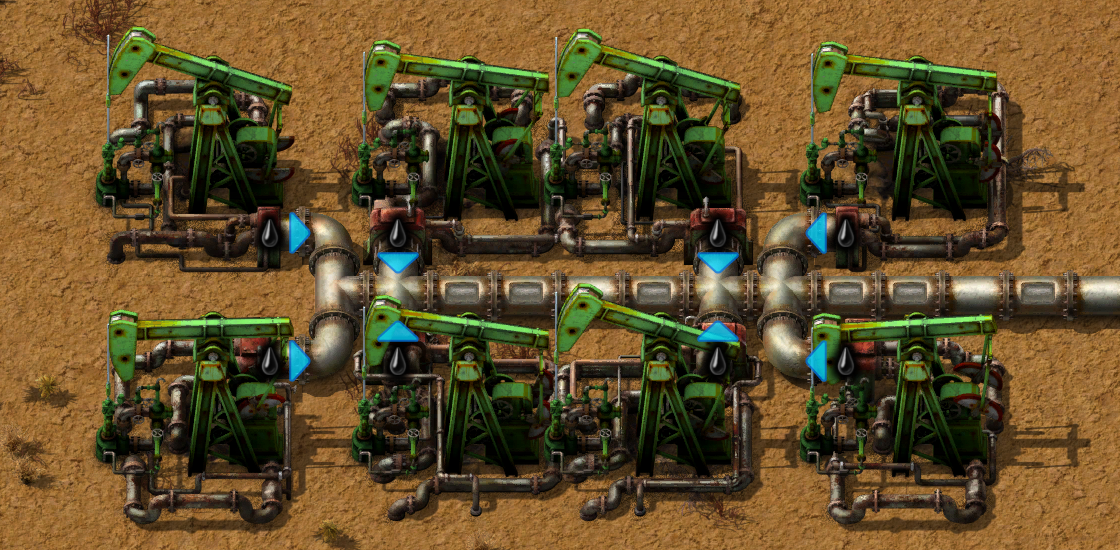
Now it will be a little easier (or at least somewhat less frustrating) to get your pumpjacks and pipes all connected just how you like.
We also added it for the burner miner, so you can make your early burner empire more optimized than ever.
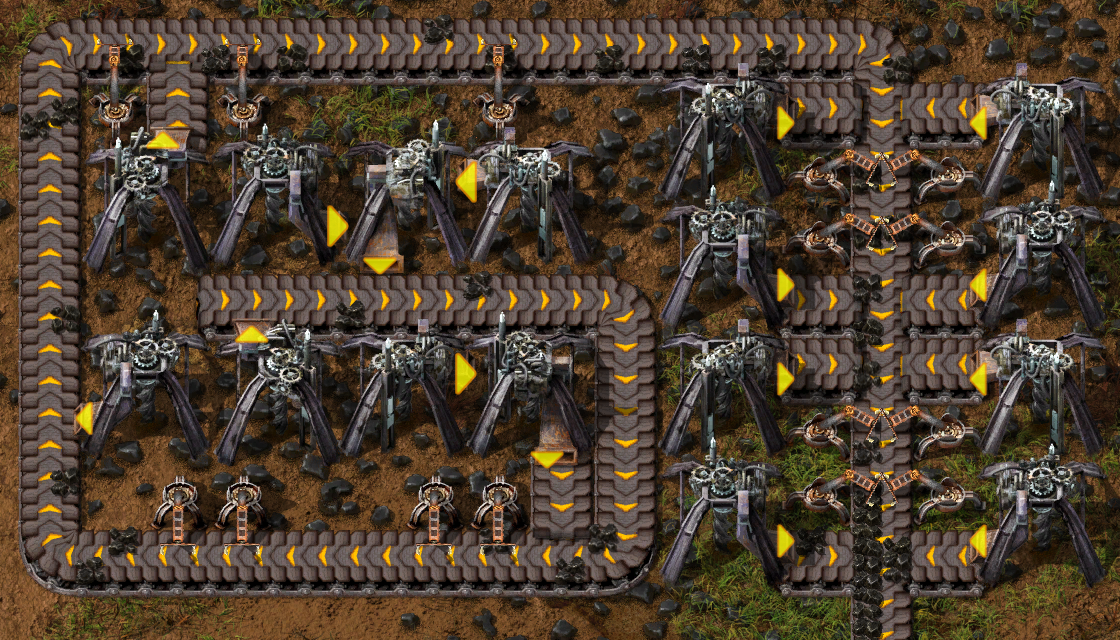
If you pay close attention, you might also notice that the drop arrow shifts subtly to the side, so that you know which side of the belt the machine will drop to.
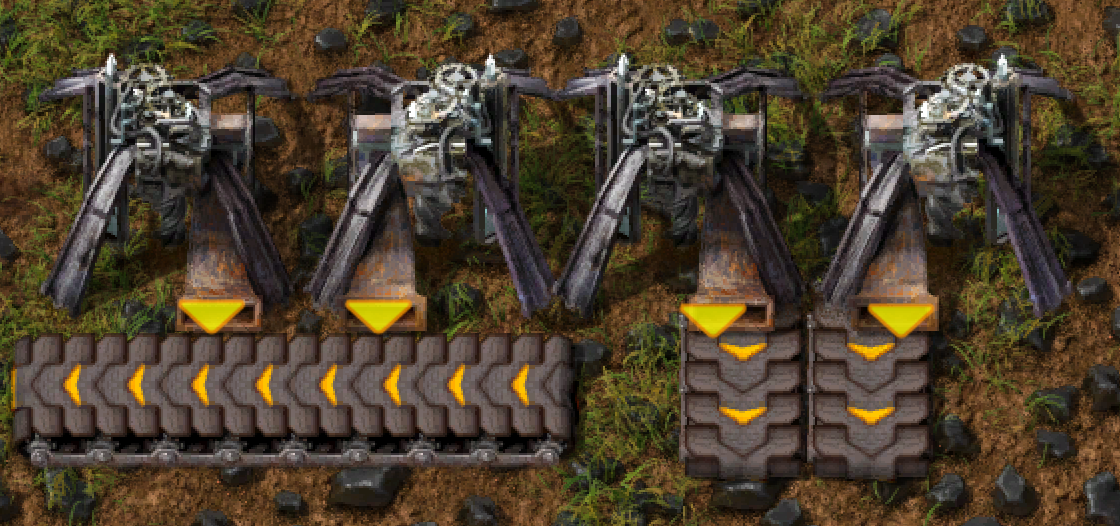
It applies to all the entities which have a drop arrow mechanic.
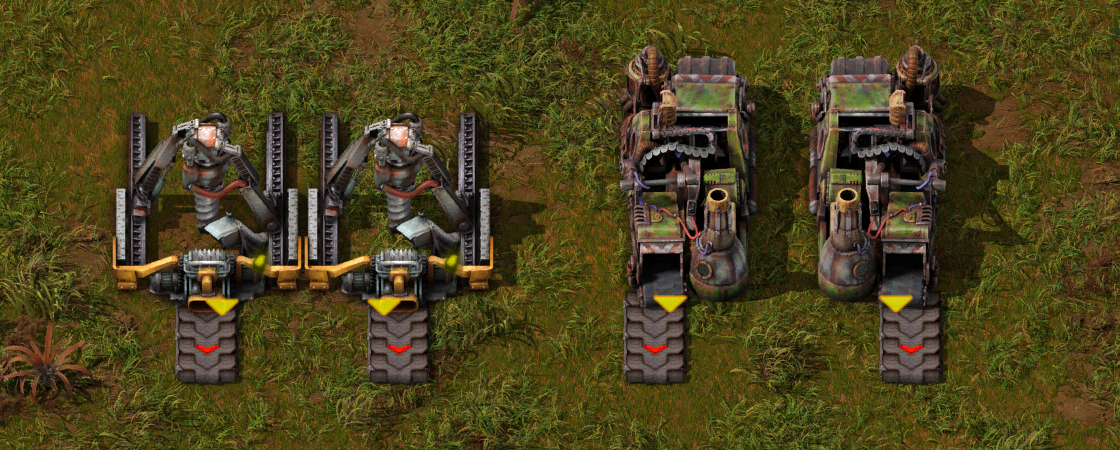
Just knowing which side of the belt a machine will drop to is nice, but we also don't want to have any build inconsistencies when you flip an entity or blueprint. So using the flip hotkey it is possible to adjust which side of the belt a machine will drop to.
And this works implicitly when you flip a blueprint, so a setup you copy and place down flipped, should work just the same.
Adjusting the drop lane of inserters also opens up more opportunities.
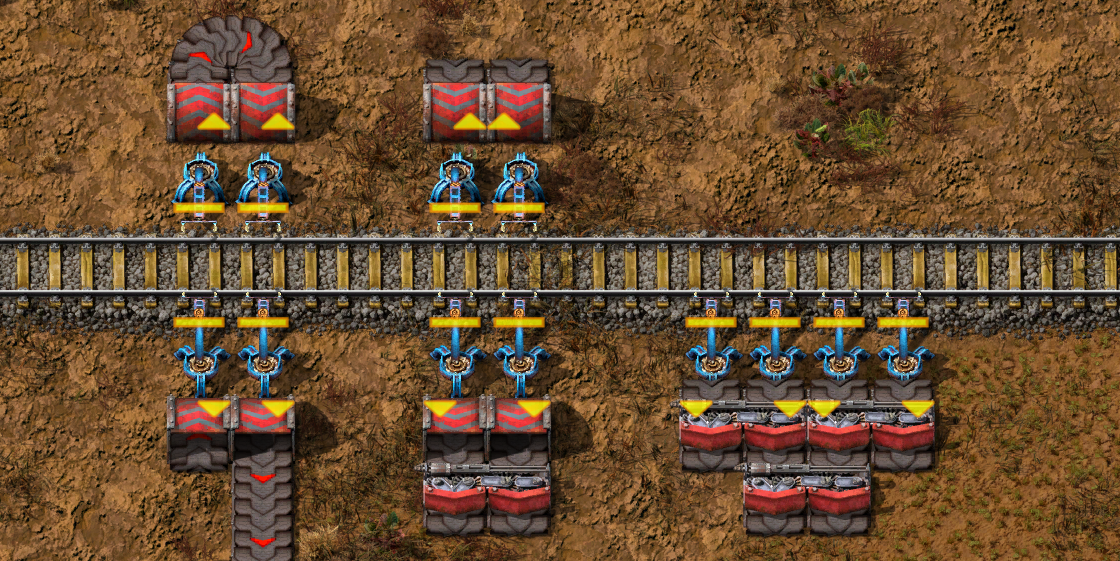
Lane flipping is a pathway to many abilities some consider to be unnatural.
There was some idea that the ambiguity of the drop was adding to the puzzle, you'd need to design builds to not rely on it, but we think the new builds and player expression the lane flipping allows outweighs this.
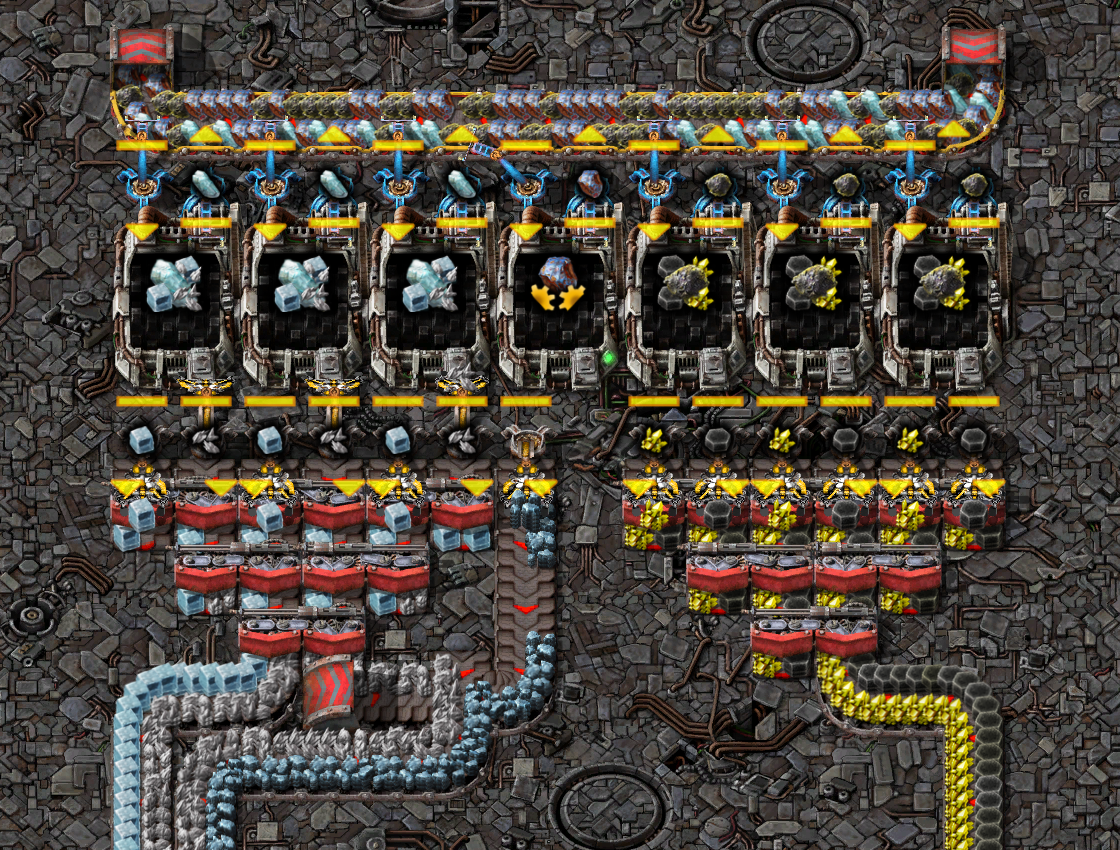
A semi-related change, related in the way of drop consistency, is that inserters will now always drop to the input sides of splitters.
With the rush before the release of 2.0 and Space Age we've naturally had to omit some projects, but very soon after the release of 2.0 we've started working on these so that they could be included some day.
Continuing from the flippable entities, it has always felt clunky to combine flamethrower turret arcs so they would compliment each other, especially on wall corners.
Since we already have a diagonal turret in the railgun, we found it very natural to make the flamethrower turret match that.
Since we already had the main parts of the 3D model, the biggest challenges Zsolti had to face were around positioning all of the models so that the pipes fit nicely, and it occupies the diagonal collision box well, which is always easier said than done.
A lot of work went into creating the graphics for all of the things you get to see on the planets, and while we were quite satisfied with their state on release, there were a few things that we couldn't prevent ourselves from doing.
It's always been planned that the oily ocean wouldn't be completely empty, but instead there would be more ruins sticking out of it.
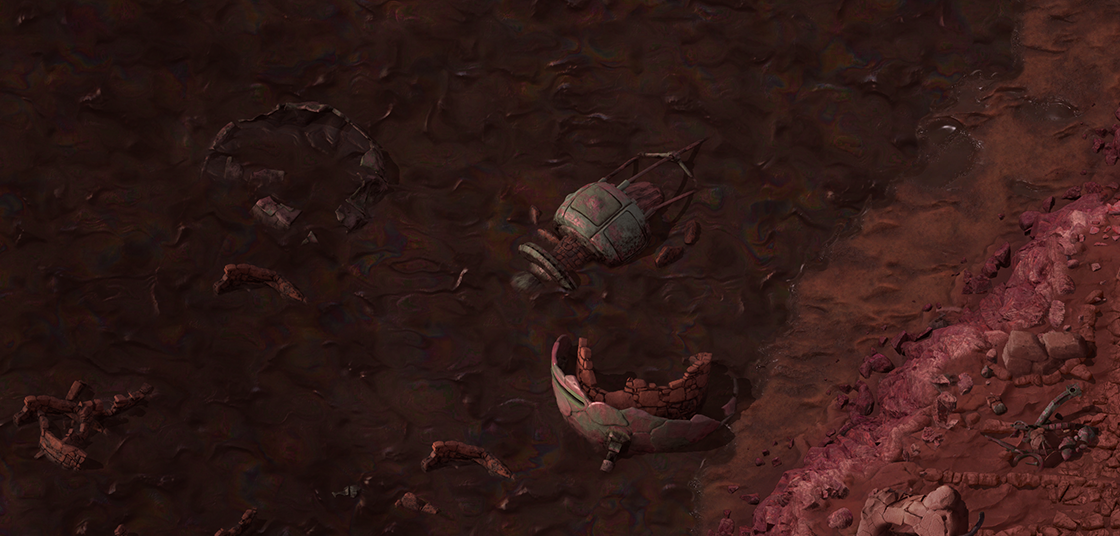
The now dead civilization was at one point all over the planet, and these sunken ruins poking out of the oil could suggest that the islands of scrap are just a tip of the iceberg we're seeing, with much more hidden deep under the thick oily sea.
As we've shown in one of the past FFFs (FFF-431), Gleba received some significant last-minute changes, and one of the added things were stromatolites - rock-like formations of bacteria from which you can harvest iron/copper. We didn't have much time to focus on their graphics because Fearghall had his hands full with finishing Aquilo, so the stromatolites ended up being just paint-overs of existing rocks.
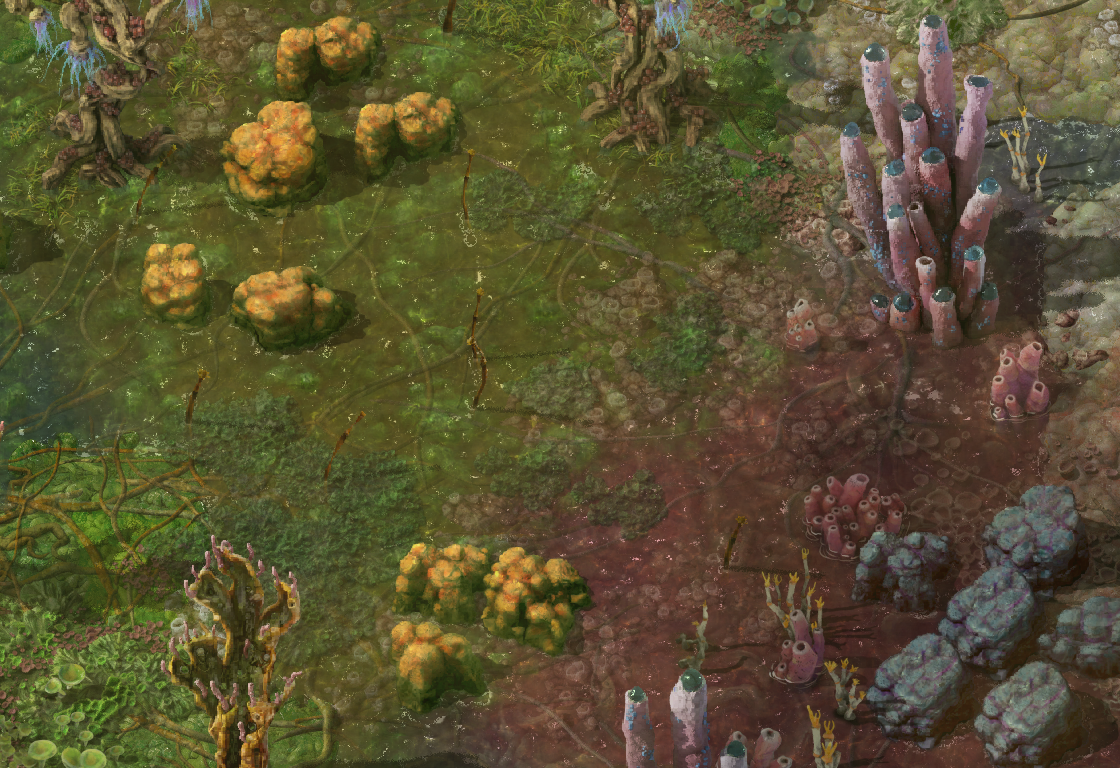
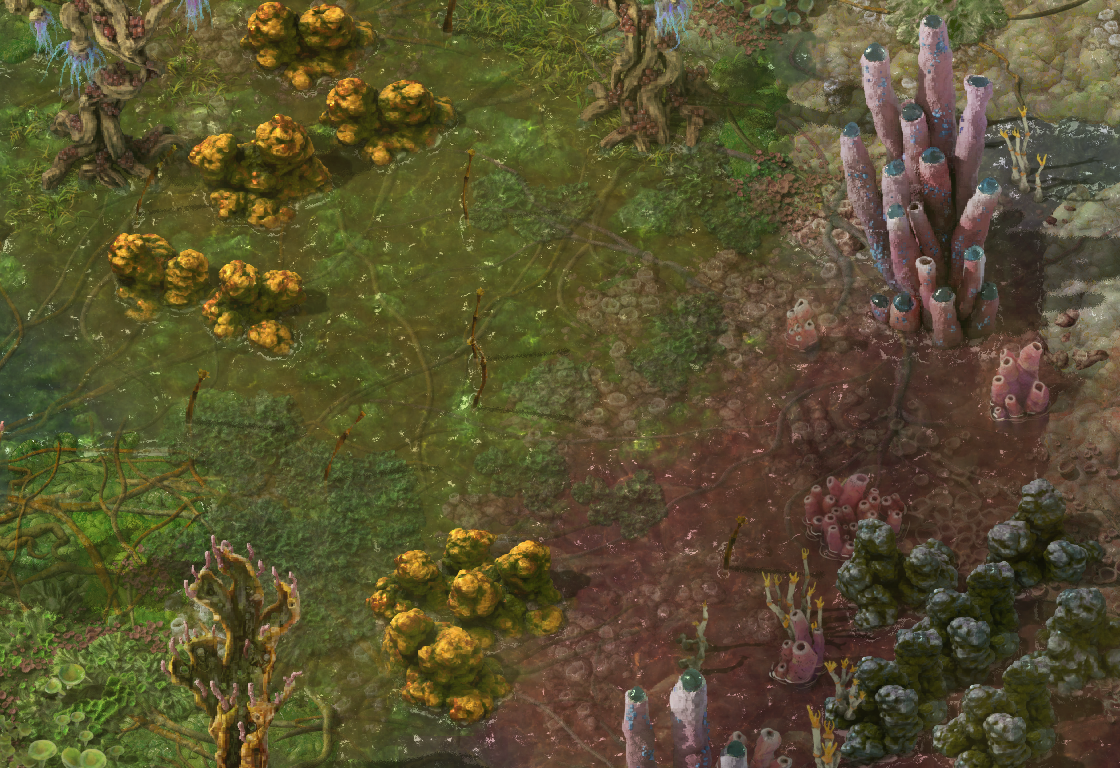
Thankfully you can't smell them through the rest of Gleba.
With release done, Fearghall had some time to improve them and make them more visible in the environment. We didn't want to alter the look too much so the new design is basically the same, but now they integrate with the environment better and form nice clumps.
Vulcanus was the first planet we worked on graphically, and at the time we were satisfied enough with the recoloured Nauvis rocks never became a priority before Space Age release.
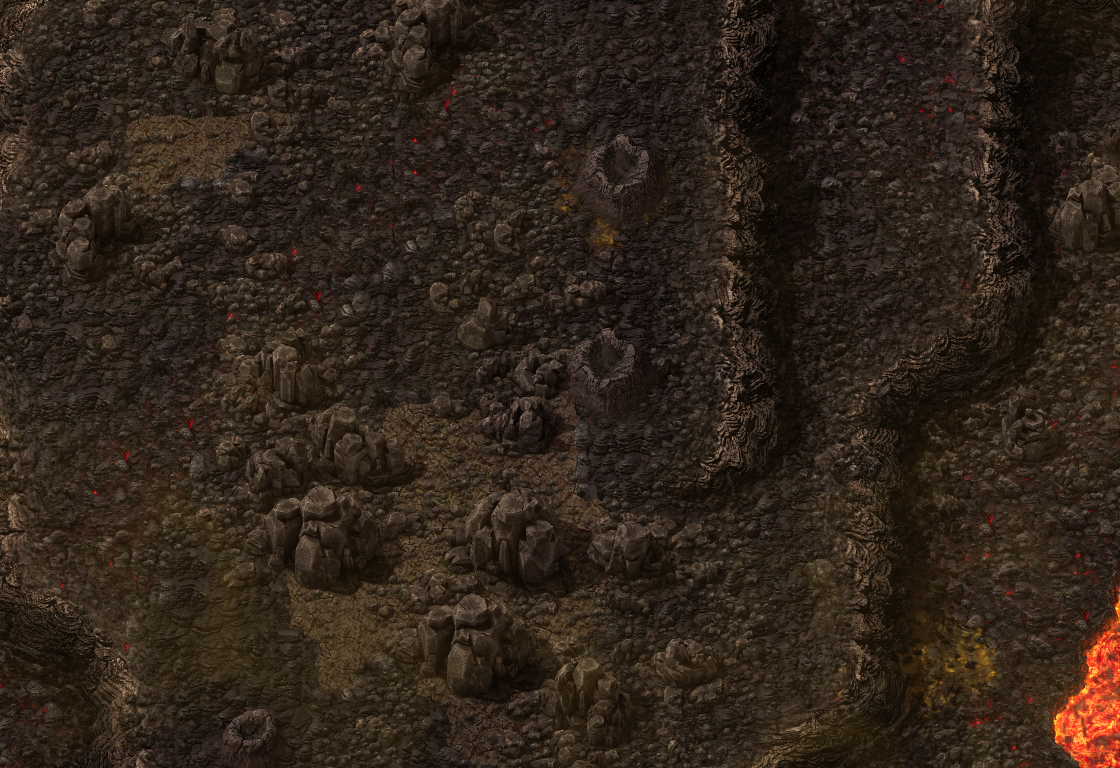
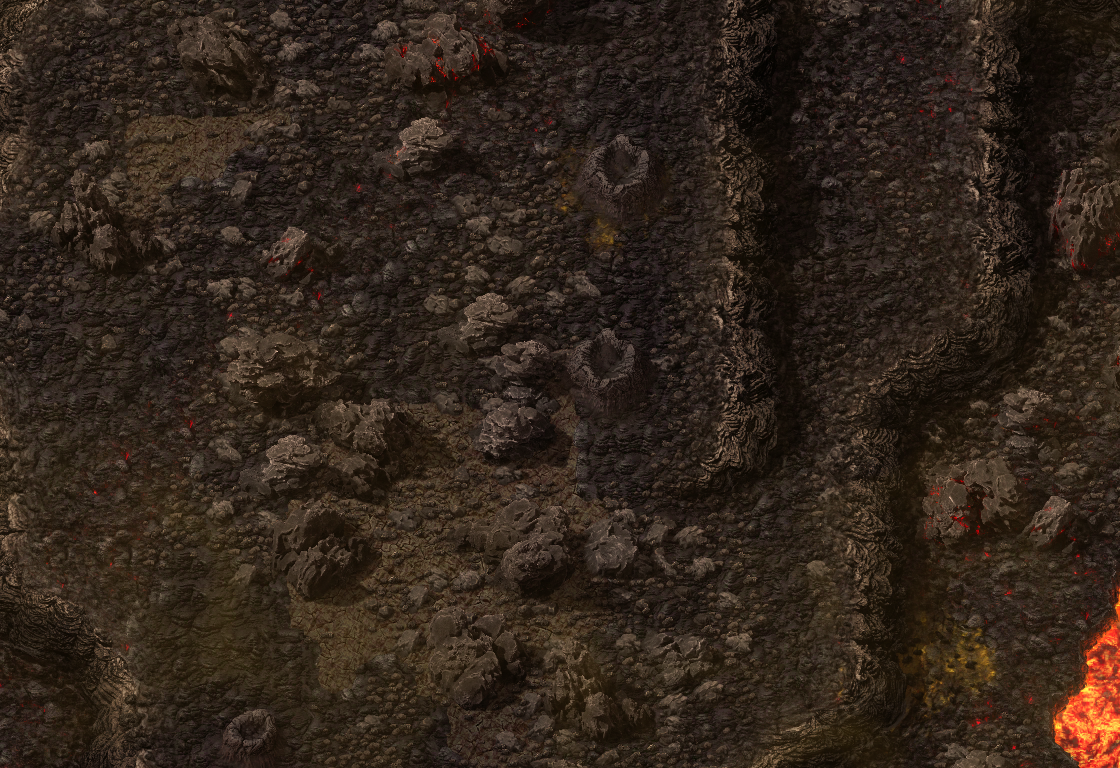
You may notice that in the hotter areas, the rocks are not yet fully cooled.
Fearghall couldn't let them remain simple recolours forever, especially since they look so much softer than all the other vulcanus stones. So he made some new, more aggressive versions based on volcanic tephra and "Aa" lava flows. At this point, Fearghall has made so many rocks this was a walk in the park. "Aa" quality work!
We knew that there were some issues with the design of the Demolisher - a lot of the "flow lines" we included on the surface didn't really make sense, and didn't help sell the volume as much as we had hoped. However, it was a behemoth undertaking, and so we couldn't afford to spend the time reworking them before release.
So Fearghall took to making a new version. After some experiments with different surfaces, we landed on one which retains the volume and has some extra-stony plating. The new demolishers should feel much better integrated into their environment, and their shapes should generally feel more sensible.
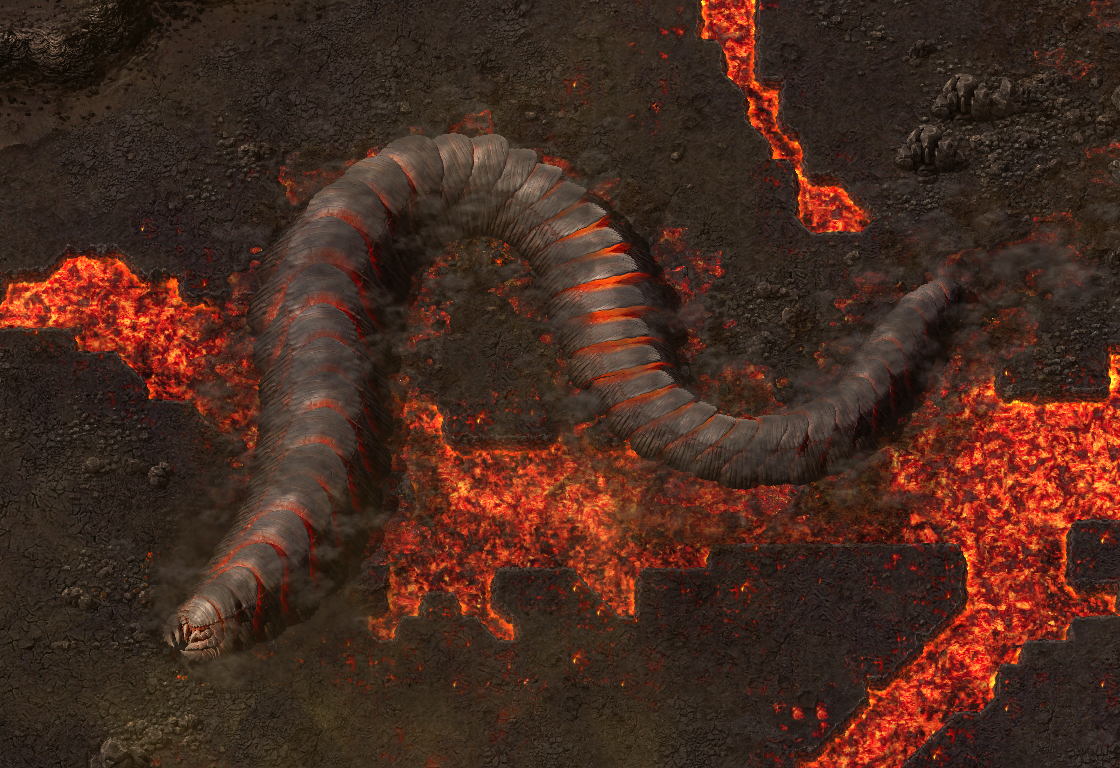
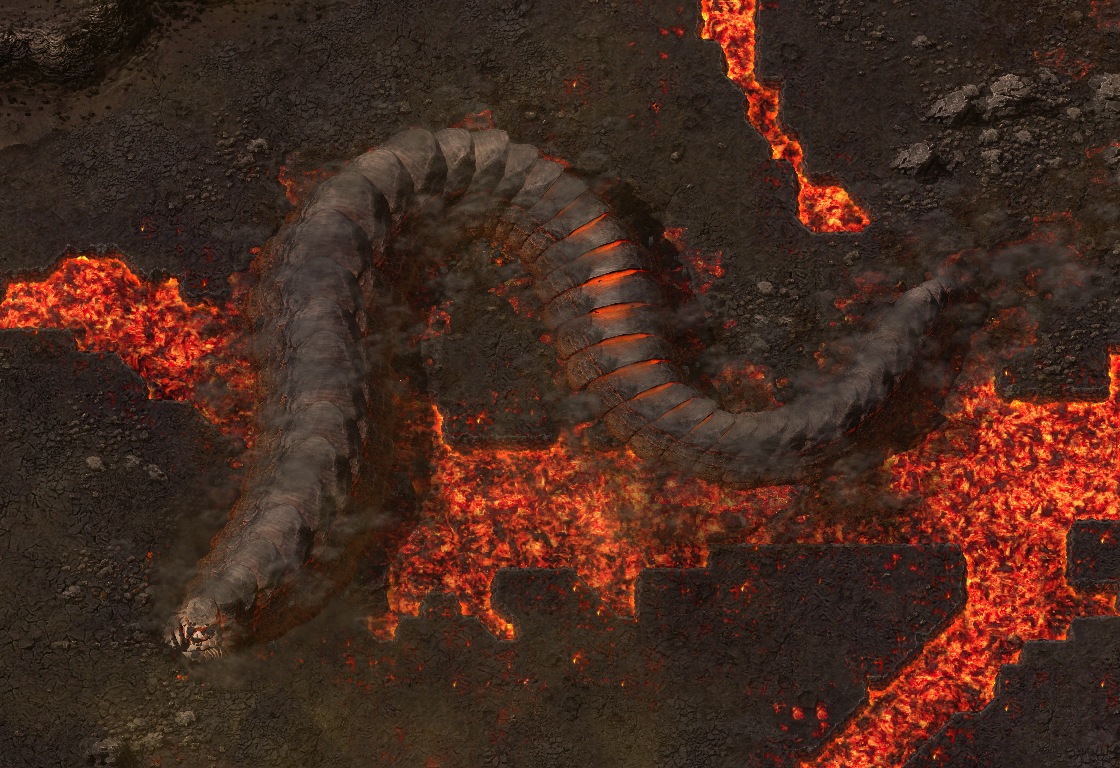
As if you needed more reason to fear them.
We also always wanted to have proper corpses for the demolishers, but having directional entities with directional corpses would be technically difficult and expensive on VRAM, so we stuck with the placeholder rocks. With the rocks changing, these also had to go, which left Fearghall the difficult task of creating direction-agnostic corpse sprites. He settled on this part-exploded shell rock, which shows off some of the pumice like internals of the beast for all of you who keep them around as memorials of conquered lands from neighbours.
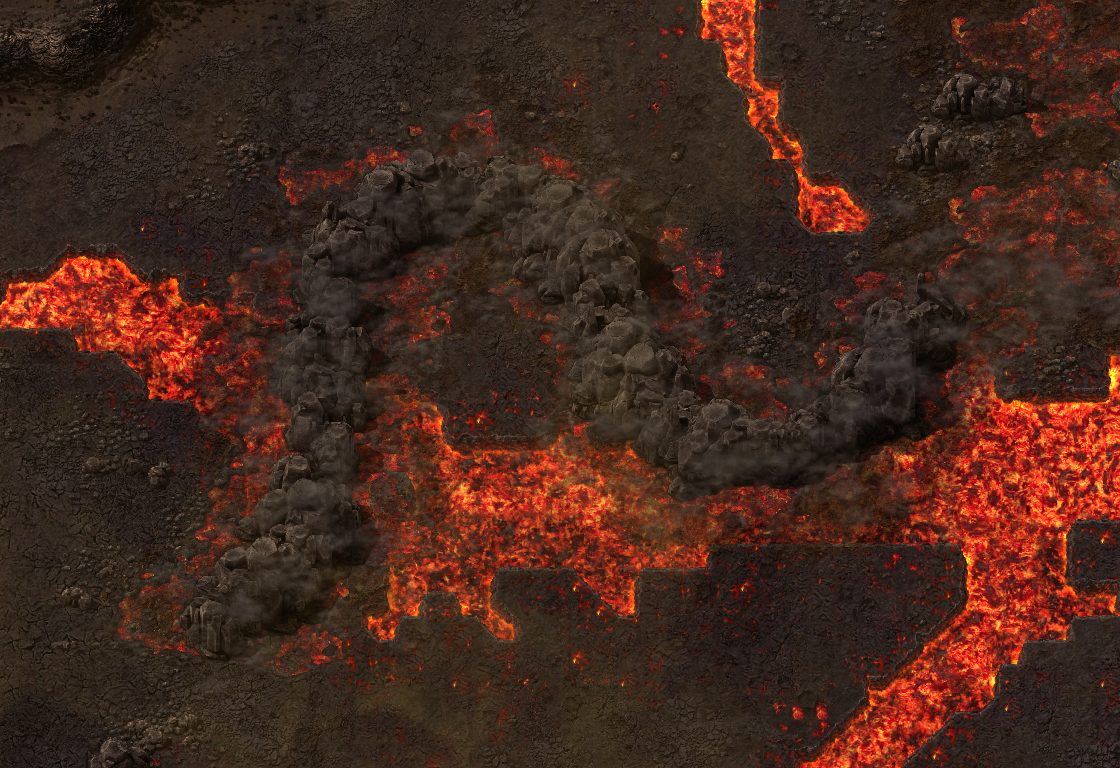
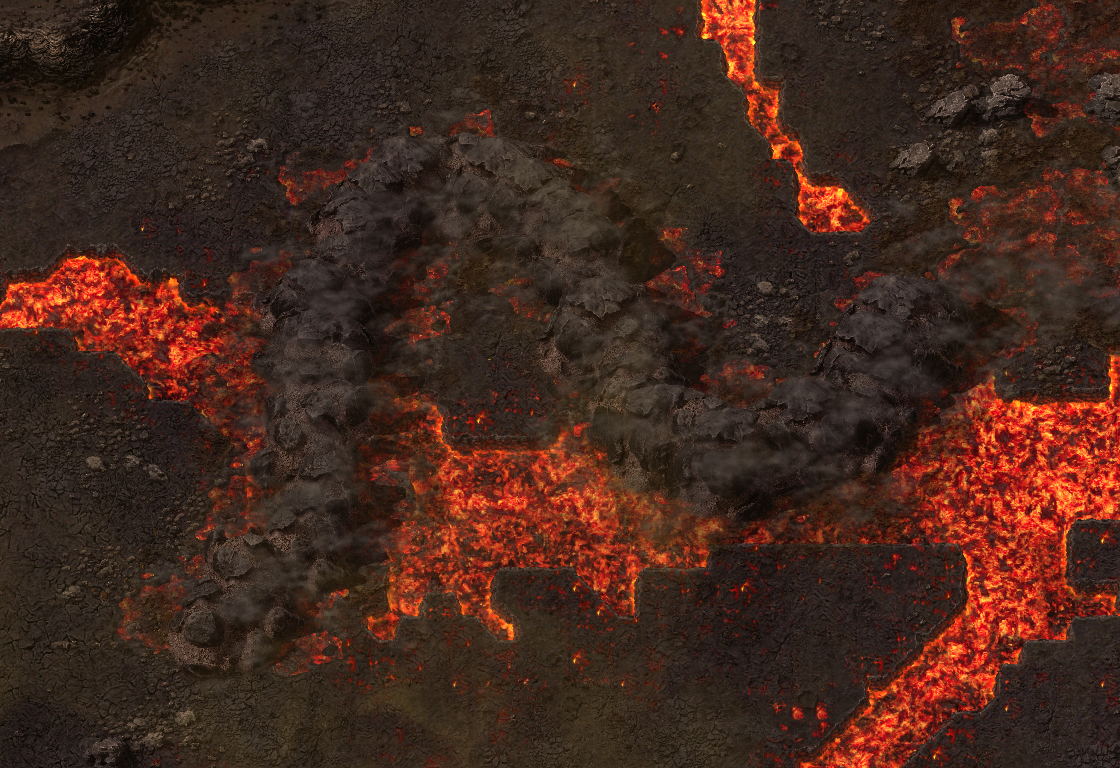
A fitting end to a worthy foe.
Quality has been a divisive part of the Space Age experience. Some players love it, and some don't. Nonetheless we do our best to make the features and gameplay of Quality as good as possible, so we have some upcoming changes to present.
In 2.0, Quality is a hard dependency on Space Age, which means you have to enable Quality to play Space Age. This was somewhat intentional, when designing 2.0 and feeling out the balancing, we knew some things would be tougher if you didn't have quality items, such as Space platform design. Having a few high quality solar panels, accumulators, or such, made a big impact on the effectivity of Platforms.
The other main sticking point was that you need the Recycler from Quality, on Fulgora, so not having Quality mod enabled means you couldn't progress on Fulgora.
But due to various reasons, a large one being mod compatibility, we have decided to make it possible to play Space Age without Quality, with the primary change being splitting the Recycler to its own tiny separate mod.
However we still believe its best that players who play Space Age have Quality enabled so we added a new type of mod dependency: "Recommended". Quality is enabled by default and it is possible to turn it off and play without quality.
There is a confluence of mechanics present in Space Age, which leads to a strategy with an outsized benefit for crafting higher quality items:
Together, they mean once you have everything in place, you can essentially reprocess asteroids chunks all the way up to Legendary quality, and from there produce Legendary raw materials.
And we are very sorry but it is too strong to leave it alone. We don't want to be fun killers, but it just makes any other approach to quality obsolete. So in 2.1 placing Quality modules in the asteroid reprocessing recipes is disallowed.
There are other recipes we were considering tweaking, such as Low Density Structure in Foundries or such, but we are leaving those alone.
There is not too much to say, other than, Quality Locomotives and wagons!
We didn't not want Quality to affect the rolling stock, but we had the small technical detail of how you would actually progress with using them. The main issue being, if you have a fleet of hundreds of trains, you would have to upgrade them all by hand or such.
So with some effort, time, and a detailed approach, Rseding was able to make using the Upgrade planner on trains work. If a train is marked for upgrade and a robot is assigned to upgrade it, the train will wait at its current stop.
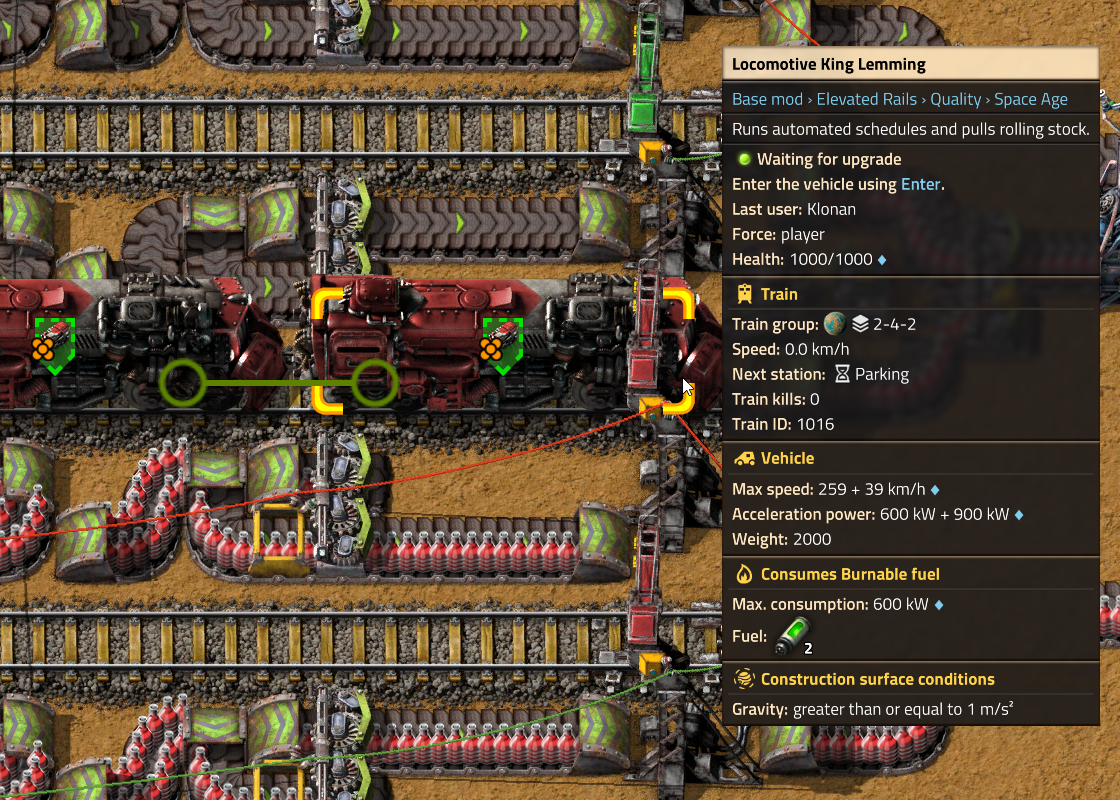
This means once you have production of the higher quality train items, you can just go crazy wild upgrading all the trains, and they should all eventually be upgraded without any schedule mishaps or manual work.
The 2.0 fluid rewrite was rushed, and as such, there were a few holes left in the process, which I set out to fill. One of the most obvious chasms was that passthrough ports with filters would not prevent unrelated fluids from passing through them:
This is obviously incorrect! The root of the issue is that passthrough ports, such as the boiler's water input, have two fluid buffers: the buffer which is a member of the pipeline, and the internal buffer which the boiler uses for its operations. This internal buffer is what the water filter is set on and is what is shown in the GUI. On the other hand, the pipeline buffer has no filter set, and the portion inside the boiler is entirely hidden!
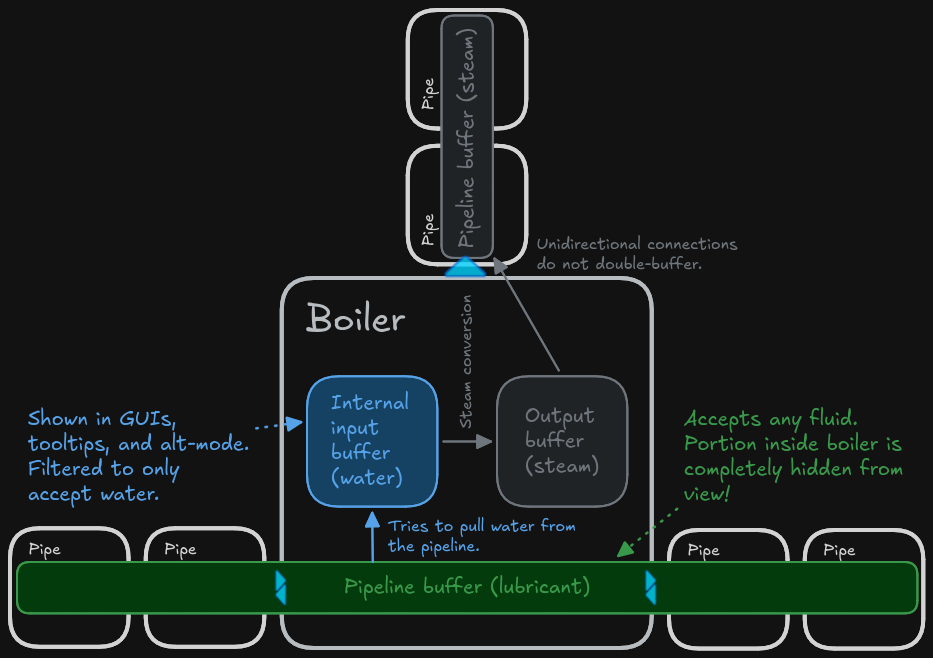
The solution seemed obvious: remove the hidden double-buffer and set the filter directly on the pipeline:
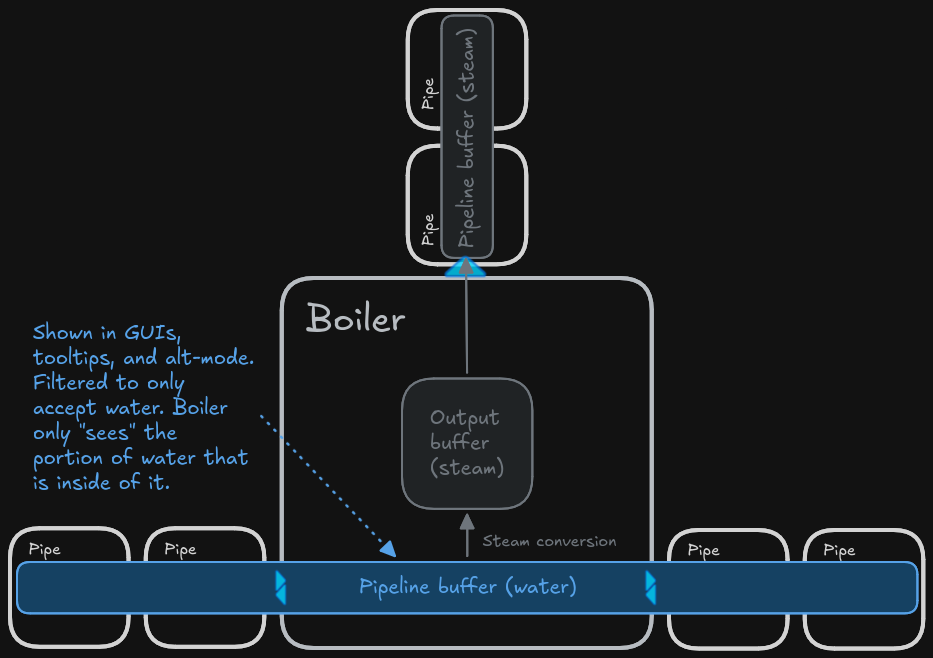
However, this introduces a rather large issue: setting a fluid filter on a pipeline. Pipelines are made up of multiple fluid boxes which are added at different times, so the pipeline must keep track of the filters of member fluid boxes and set its own filter accordingly as the topology changes. Furthermore, what happens if you add a fluid box with a conflicting filter or conflicting fluid contents? The game needs to somehow reconcile them.
Introducing...
That's right, fluid mixing prevention is making a grand return! Rather than attempting to completely prevent the building of a mixed setup (FFF-312), this system prevents mixing in the simple case, and when mixing occurs through other means (rotation, robot construction, etc.), it produces a mixing warning. The pipelines will not be merged until the mixing condition is cleared:
A pipeline filtered to water cannot merge with a pipeline full of lubricant until the lubricant is cleared.
Notably, fluid mixing only occurs on bidirectional connections; you can still create smoothie pipes by connecting pumps or unidirectional machine outputs with different fluids in them, and the game will not get in your way.
With mixing prevention in place, I was able to remove the hidden double-buffer, solving a lot of confusing bugs and simplifying the system architecture!
The fluid algorithm will scale the throughput of a given connection based on the fullness ratios of the source and sink. To facilitate this, you need some baseline number to scale, and in 2.0, this is hardcoded at 100/tick, or 6000/second. This works fine for the vast majority of players, but when you introduce quality into the mix, you very quickly run into situations where setups need more than 6000/second (or, more realistically, 3000/second on average) of throughput, and things begin to break down:
The green columns represent the fluid contents of each fluid box.
Colored indicators are from the Bottleneck Lite mod.
This bug sat around unfixed for over a year, until just recently an embarrassingly obvious and simple solution came to me in a dream: simply derive the max flow from the fluid buffer volume and fix crafting machines to properly scale their output volumes based on the effective recipe speed and productivity. These changes, implemented in less than four hours, completely resolved the issue!
It just works.™
The pipe GUI has received an overhaul to show fluid contents in more detail and in real-time. You may be able to spot a few new features as well!
As always, flip your thoughts to us at the usual places.
